ScamShield
An Android app that watches incoming texts for scam patterns and walks Tanzanian users through reporting them to the TCRA.
- Role
- Engineering
- Built with
- Android, Java, Gradle
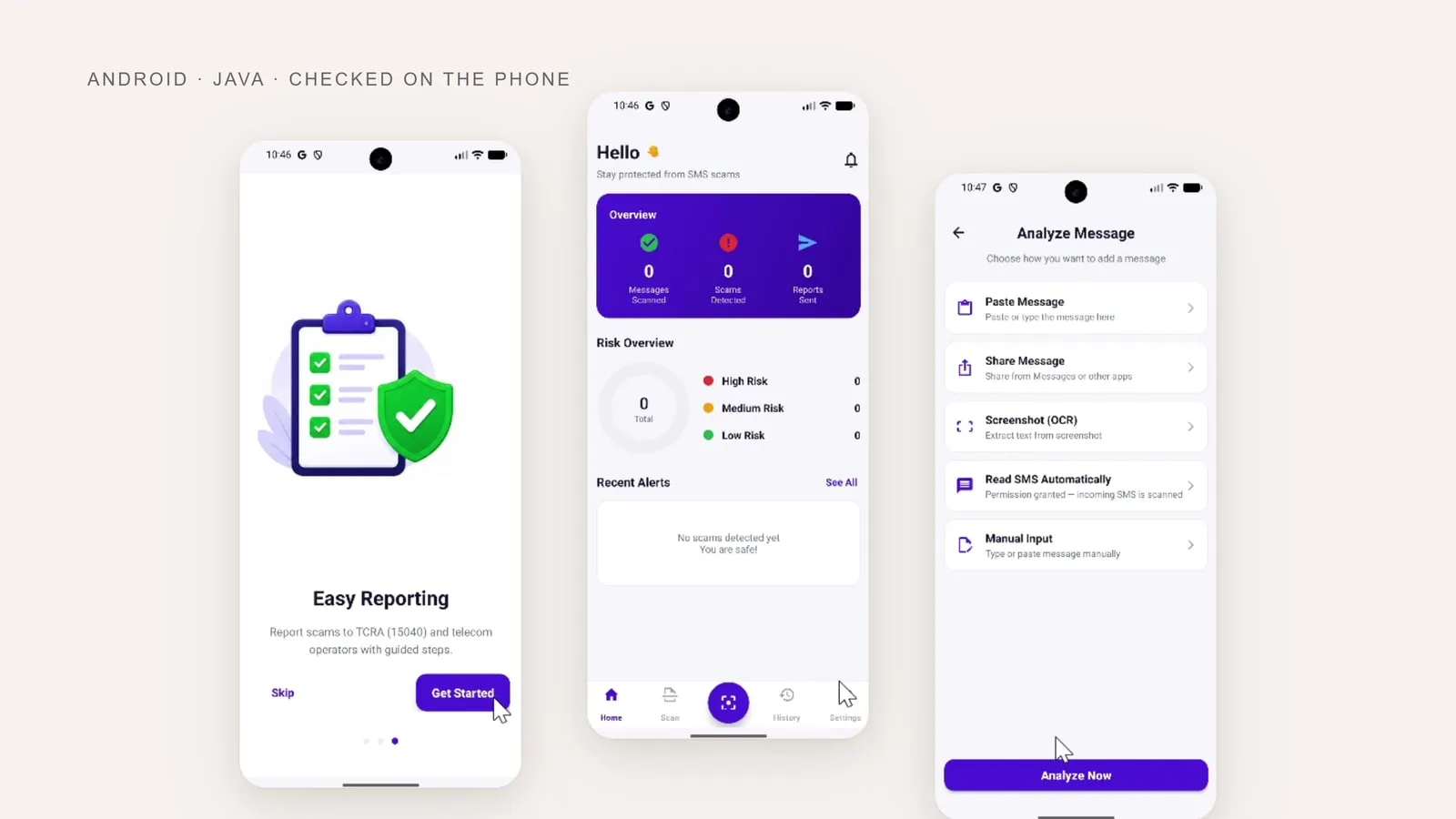
Scam texts are a daily tax on people with phones in Tanzania. Reporting one means going to the Tanzania Communications Regulatory Authority on short code 15040, which is not something most people have to hand when a message arrives. ScamShield watches incoming SMS, flags what looks like a scam, and carries the user through reporting it.
The app brings message checking, a local history and reporting into one place. Automatic reading, sharing, pasting, screenshots and manual entry give users several ways to check the same kind of message.
Getting a message in
The decision worth pointing at is that there is no single way to submit a message. The analyse screen offers five, because the way a scam text reaches someone is not consistent:
- Read SMS automatically once the permission is granted, so incoming messages are scanned without being handed over.
- Share straight from Messages or any other app.
- Paste the text.
- Screenshot (OCR), extracting the text from an image. The case that matters when someone forwards a picture of a message rather than the message.
- Manual input, typing it out.
From the user’s side those are one feature. Underneath they are five quite different paths, and building all of them is a judgement about how people actually receive the thing you are asking them to check.
What it claims, and where it runs
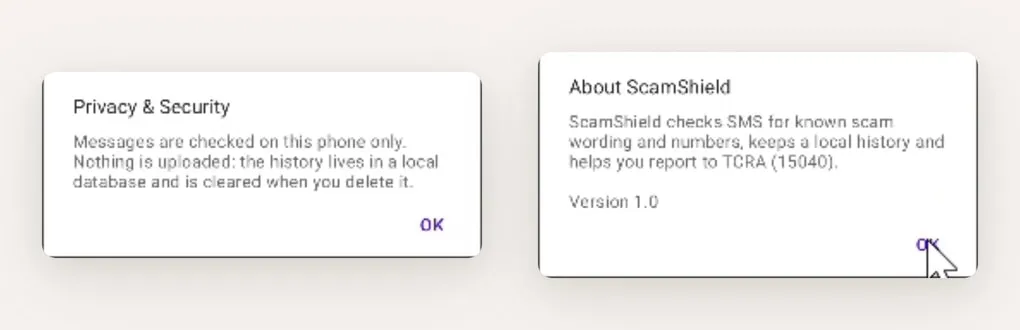
Two screens do most of the honest work. The privacy notice says messages are checked on the phone only, nothing is uploaded, and the local history is cleared when the app is deleted. The about dialog says plainly what the detection is: it checks messages for known scam wording and numbers. Not a model, not a service, a pattern match running locally.
That is the right shape for this problem. An app that asks to read every text you receive and then sends them somewhere is a worse deal than the scams it protects against, and putting that on a screen the user can actually find beats putting it in a privacy policy.
The constraints that shaped it
Reading someone’s messages is the most sensitive permission an Android app can ask for, and the manifest reads as though that matters:
- Telephony is optional, not required.
android.hardware.telephonyis declared withrequired="false", so the app installs on a tablet or a device with no SIM rather than being filtered out of the Play Store for that hardware. - Reporting hands off rather than absorbs. Instead of taking permission to send messages or
place calls itself, the app declares Android 11+ package-visibility queries for
smsto:andtel:and opens the user’s own SMS or dialer app with the report prepared. The user presses send. The app never gains the ability to send on their behalf. - A foreground service, declared as special-use, because monitoring that stops when the app is backgrounded is monitoring that does not work.
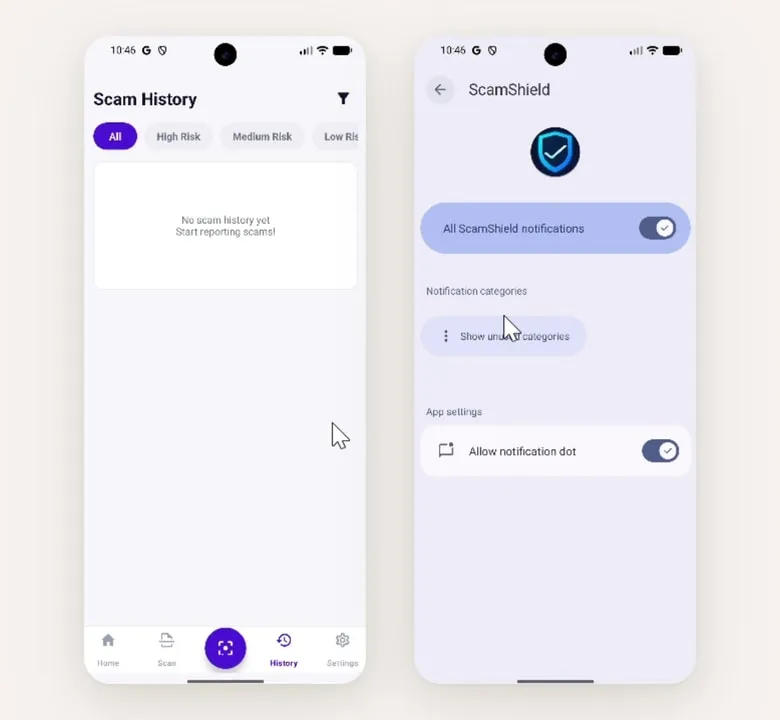
History filters by risk level, and its empty state reads “No scam history yet, start reporting scams!” rather than “No data”. On the right is Android’s own notification settings, and what it shows is the app’s doing: ScamShield declares separate notification channels rather than one, so someone who wants scam alerts but not everything else can have exactly that. Neither is hard; both are the kind of thing that usually gets skipped.
Screens captured from the app walkthrough.